Personal Scripts Repository - Infrastructure Automation & System Management
Situation
Managing multiple development projects and system administration tasks across different operating systems (macOS, Linux, NixOS) required a replicable infrastructure automation toolkit. Traditional approaches led to platform-specific scripts that couldn't be reused, manual processes for backup management, and lack of unified interfaces for common operations like git, docker, and deployment management.
The challenge was to build cross-platform automation that would work consistently across macOS, Linux, and NixOS while supporting platform-specific features. Additionally, there was a need for a project-agnostic automation system for managing multiple development projects with different configurations, git workflows, docker setups, and deployment requirements. The infrastructure needed reliable backup systems with retention policies, secure remote execution framework, and unified menu-driven interfaces for infrastructure operations.
Specific challenges included: cross-platform compatibility while supporting platform-specific features, building project-agnostic automation for multiple development projects, reliable backup infrastructure with proper organization and retention policies, secure remote infrastructure management across multiple systems, and automated system maintenance with proper logging and error handling.
Task
The goal was to engineer replicable infrastructure automation toolkit with shell scripts for cross-platform system management, backup infrastructure, and remote administration. The solution needed to:
- Build 68+ shell scripts for cross-platform system management
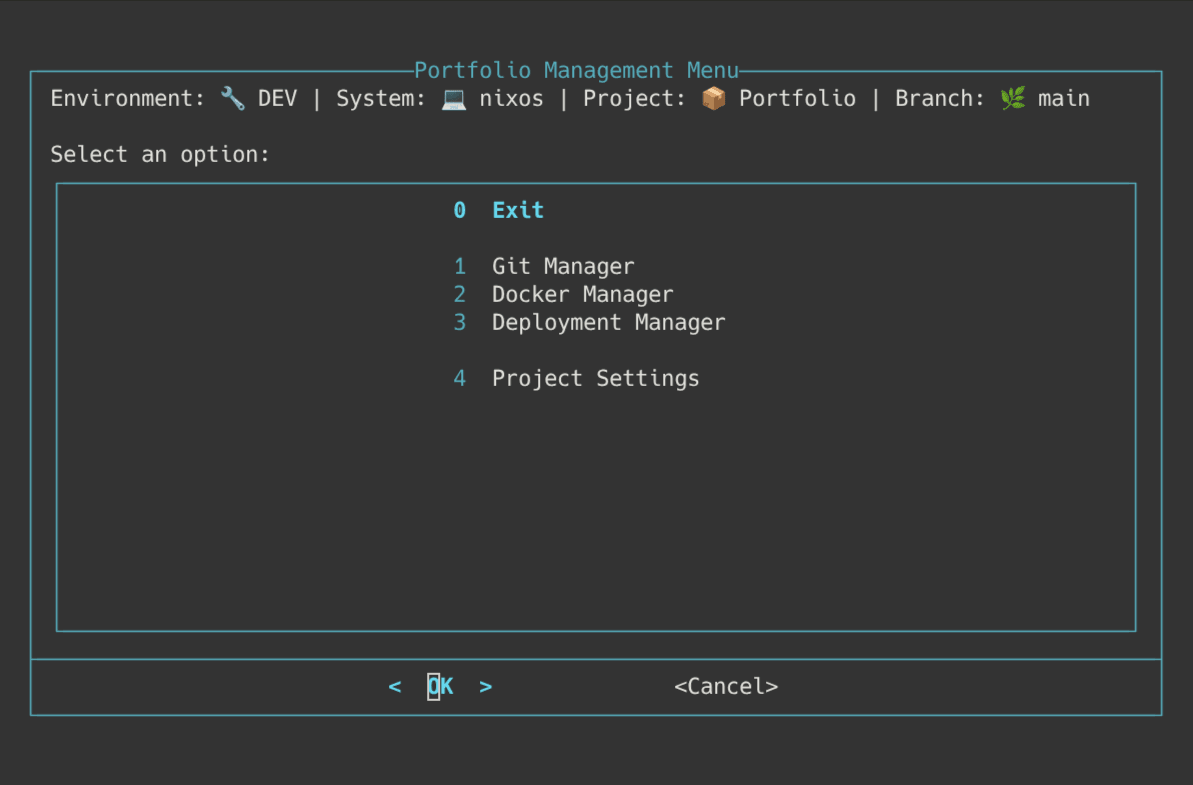
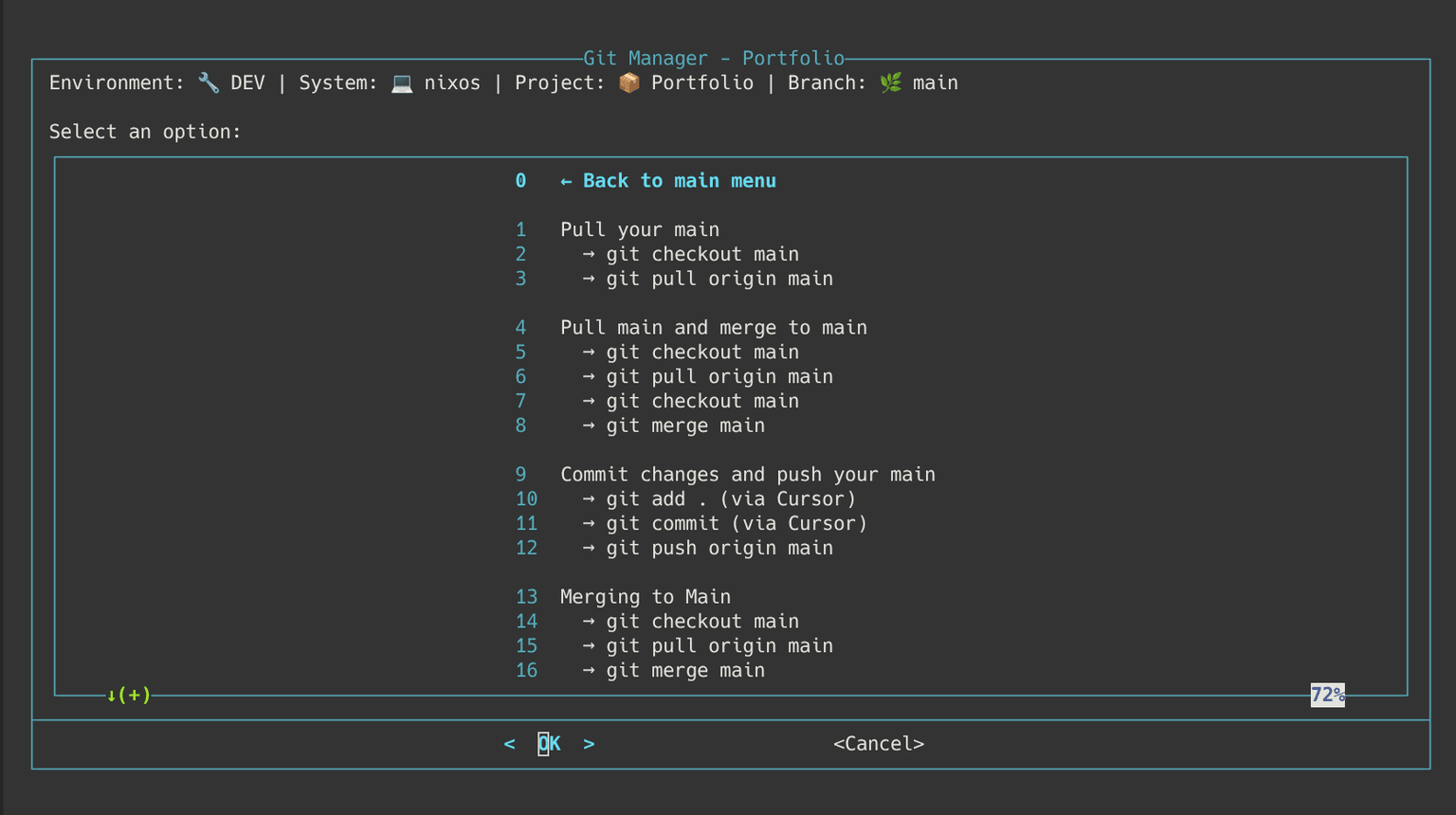
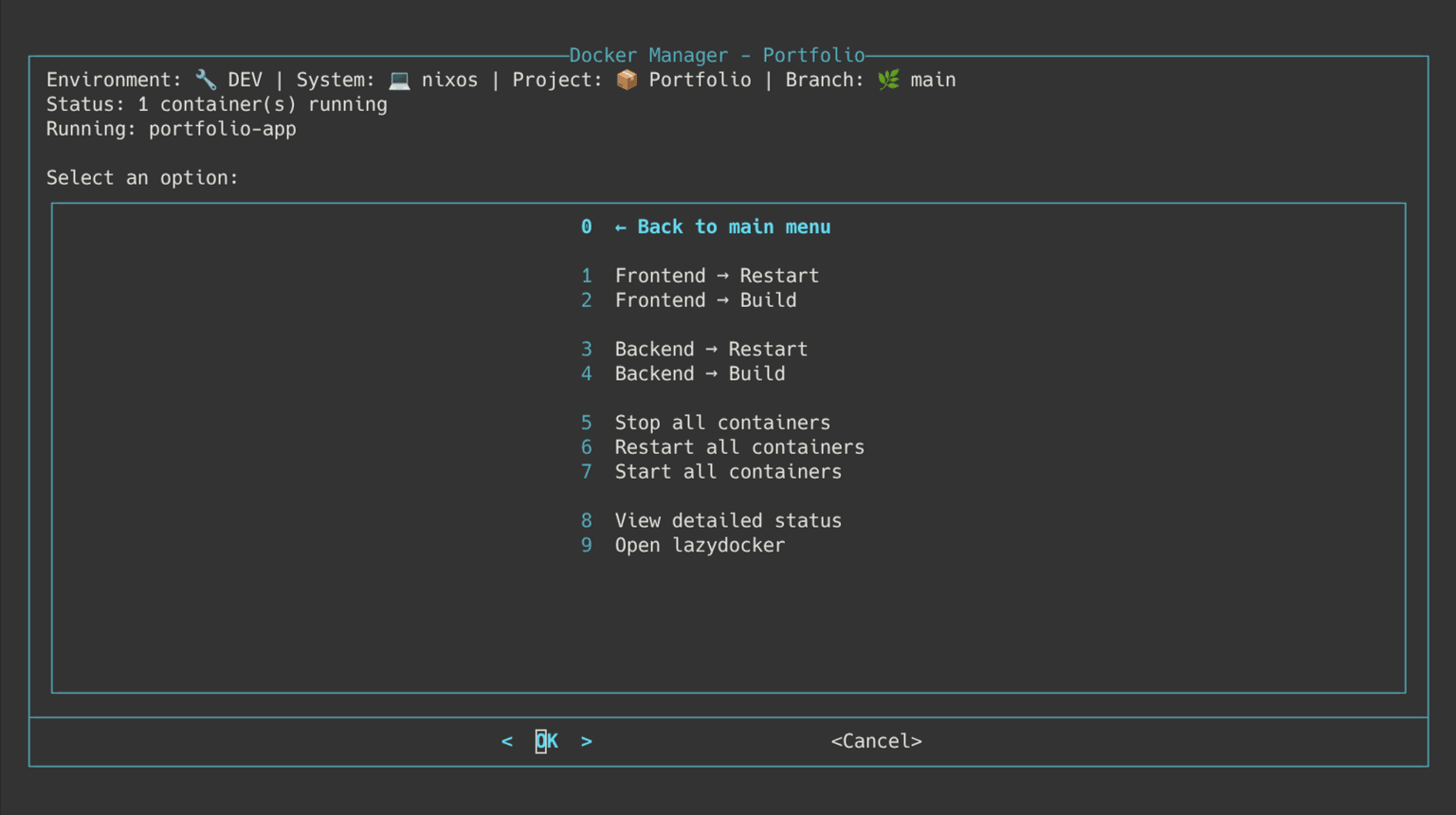
- Create ControlPanel - a project-agnostic menu system for managing git, docker, and deployment operations
- Implement OS detection and platform-specific organization enabling code reuse
- Create automated backup systems with retention policies
- Build remote execution framework with secure password management
- Create unified menu-driven interfaces for infrastructure operations
- Version-control all scripts in Git repository for replicability
Success criteria included: cross-platform compatibility across macOS, Linux, and NixOS, project-agnostic automation supporting unlimited projects, reliable backup infrastructure with retention policies, secure remote execution, automated system maintenance, and complete infrastructure replicability from Git repository.
Action
Cross-Platform Automation Infrastructure
Implemented cross-platform automation with OS detection and platform-specific organization:
- OS Detection:
$OSTYPEchecks in utility functions for platform-specific command selection - Platform-Specific Directories:
MACOS/directory for macOS scripts, root level for Linux/NixOS - Centralized Configuration:
VARIABLES.shfor path management across platforms - Shared Function Libraries: Platform-agnostic interfaces enabling code reuse
- Platform-Specific Commands:
stat -fvsstat -cfor file informationosascriptvsnotify-sendfor desktop notifications
- Result: Code reuse across platforms while maintaining platform-specific functionality
ControlPanel - Project-Agnostic Automation System
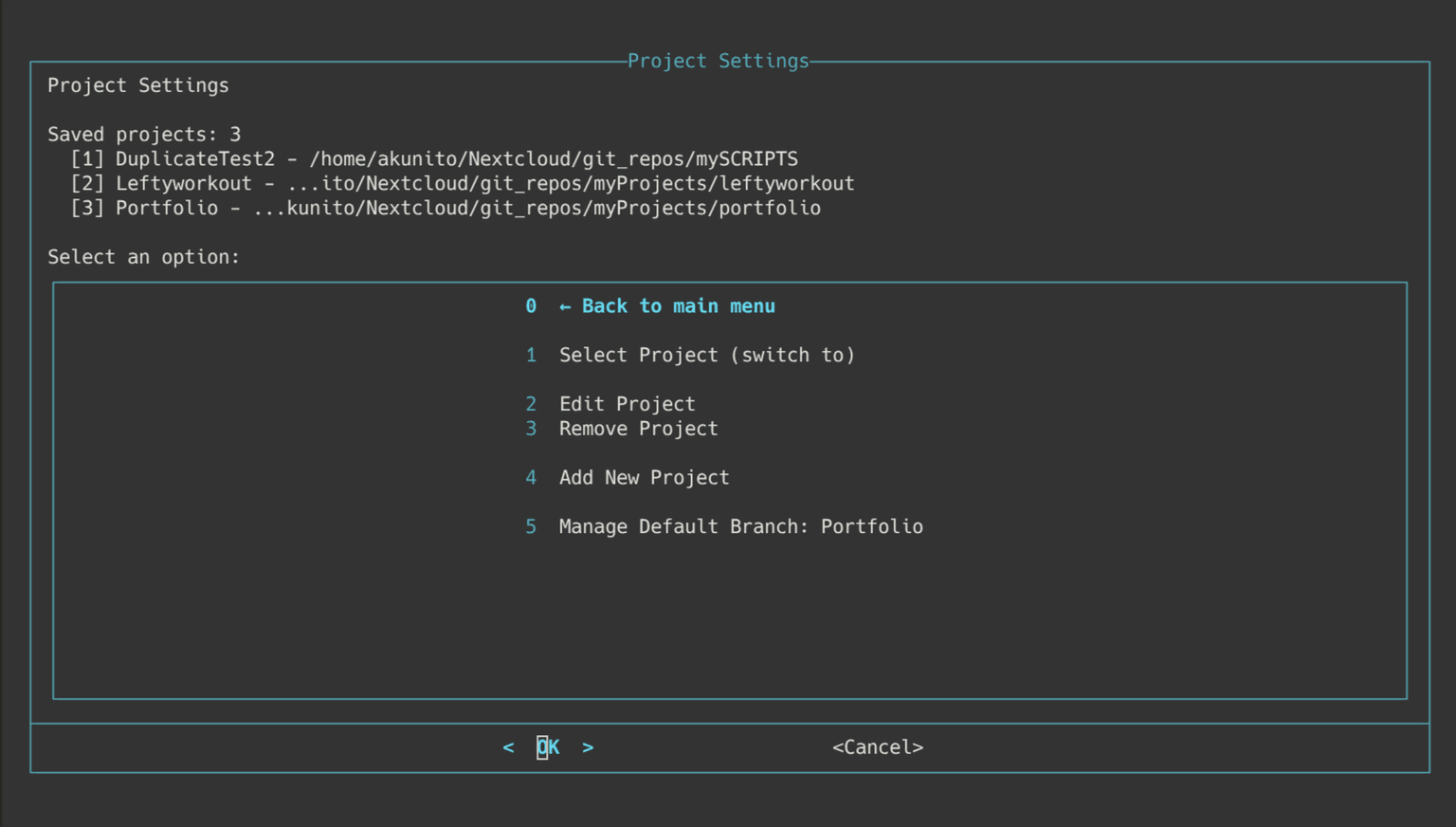
Created ControlPanel system for unified project management:
- User-Local Configuration:
~/.config/controlpanel/projects.jsonfollowing XDG Base Directory standard, ensuring per-device settings without git conflicts - Modular Architecture: Separate managers for config, projects, git, docker, and deployment operations
- Seamless Project Switching: Easy switching between projects with persistent configuration
- Command-Line Parameter Support:
./menu.sh [project_path] [git_branch]with automatic branch creation - Environment Detection: Automatic docker compose file selection based on environment
- Optional Logging System: Comprehensive logging system for debugging (disabled by default for performance, enabled via
CONTROLPANEL_LOGGING_ENABLED=1) - Result: Works with any git repository and docker setup, supports unlimited projects, per-device configuration prevents git conflicts
Backup Infrastructure with Retention Policies
Implemented reliable backup infrastructure with proper organization:
- Timestamped Archive Naming:
{type}_backup-{DATE}_{TIME}.tar.gzpattern preventing overwrites - Organized Directory Structure: Separate directories for different backup types (dotfiles, browsers, root files, phone media, Bitwarden)
- Retention Policy Scripts: Automated scripts to remove old backups preventing disk fill
- Permission Management: Proper permissions set after backup (
chown -R) - Desktop Notifications: Notifications for backup completion and errors
- Error Handling: Comprehensive error handling ensuring data integrity
- Result: 5+ backup types with timestamped archives, organized structure, and retention policies
Secure Remote Infrastructure Management
Built secure remote execution framework:
- Keychain Password Retrieval: macOS keychain for secure storage, no password exposure
- Platform-Specific Remote Scripts: Appropriate commands for each platform
- Error Handling and Logging: Comprehensive error handling and logging for remote operations
- SSH Key-Based Authentication: Preferred SSH key-based authentication for security
- Result: Secure automation across macOS, Linux, and NixOS systems
Automated System Maintenance
Implemented cross-platform maintenance scripts:
- Comprehensive Logging: Timestamps (
[YYYY-MM-DD HH:MM:SS] task | output) for all operations - Log Rotation:
- 1MB threshold on Linux
- 10MB threshold on macOS
- Keeps 3 old files
- Error Handling: Exit code checking for error detection
- Platform-Specific Maintenance: Scripts for apt (Linux), Homebrew (macOS), and nix (NixOS) package managers
- Reboot Detection: Automatic detection of system reboots
- Result: Reliable maintenance across different package managers with proper logging and error handling
Technical Implementation Details
Architecture Decisions:
- Cross-platform automation with OS detection (
$OSTYPEchecks) - Platform-specific directories for organization
- Centralized configuration management (
VARIABLES.sh) - Shared function libraries for code reuse
- Version-controlled scripts in Git repository for replicability
- ControlPanel system for unified project management
- Menu-driven interfaces for unified access
ControlPanel Modular Architecture:
- config_manager: Configuration management
- project_manager: Project switching and management
- git_manager: Git operations (branch creation, switching, status)
- docker_manager: Docker compose file selection and operations
- deployment_manager: Deployment operations
- logger: Optional logging system
Observability/Operations:
- Comprehensive logging with timestamps (
[YYYY-MM-DD HH:MM:SS] task | output) - Log rotation with size thresholds and retention policies
- Desktop notifications for important operations (backup completion, errors)
- Remote operation logging (SSH command execution, results)
- ControlPanel optional logging system (disabled by default for performance)
- Exit code checking for error detection
Infrastructure Scale: 68+ scripts, 3+ OS support, 5+ backup types, remote execution, automated maintenance, multi-project management (ControlPanel)
Result
Infrastructure Automation Achievement
68+ shell scripts for system management across 3+ operating systems (macOS, Linux, NixOS), enabling replicable automation workflows via version-controlled Git repository. The cross-platform approach enables code reuse while maintaining platform-specific functionality.
Project Management Success
ControlPanel system provides unified interface for managing multiple development projects with git, docker, and deployment operations, supporting unlimited projects with persistent per-device configuration. The seamless project switching and command-line parameter support enable efficient project management, and the per-device configuration prevents git conflicts.
Backup Infrastructure Excellence
5+ backup types (dotfiles, browsers, root files, phone media, Bitwarden) with timestamped archives, organized directory structure, and retention policies, ensuring data integrity and preventing disk fill. The automated retention policy scripts prevent disk space exhaustion while maintaining backup history.
Remote Management Impact
Secure remote execution framework with keychain password retrieval, platform-specific command execution, and error handling, enabling infrastructure management across multiple systems. The SSH key-based authentication preference ensures security while maintaining operational efficiency.
Automated Maintenance Success
Cross-platform maintenance scripts with comprehensive logging, log rotation, error handling, and package manager support (apt, Homebrew, nix), reducing manual maintenance overhead. The platform-specific maintenance scripts ensure reliable updates across different package managers.
Unified Interface Excellence
ControlPanel (primary) and legacy menu-driven interfaces (dialog on macOS, select on Linux) with shared function libraries, enabling consistent automation access across platforms. The unified interface eliminates the need to remember complex commands and reduces errors.
Technical Stack
Bash, SSH, Git, Docker, docker-compose, tar/gzip, systemd, dialog, macOS keychain, rclone, MTP, Homebrew, apt, Nix package manager, jq (JSON processing)
Conclusion
The Personal Scripts Repository project demonstrates replicable & resilient systems engineering through comprehensive infrastructure automation. By implementing cross-platform automation with OS detection, project-agnostic ControlPanel system, reliable backup infrastructure, secure remote execution, and automated system maintenance, the project eliminates manual processes and enables consistent automation across multiple operating systems. The holistic "full-stack" infrastructure view is evident in the integration of system management, backup systems, remote execution, and project management, while the version-controlled approach ensures complete infrastructure replicability. This infrastructure investment—doing it right the first time—eliminates technical debt and reduces operational overhead, transforming system administration from manual, platform-specific processes into automated, cross-platform infrastructure. The ControlPanel system showcases how project-agnostic automation can be built to work with any git repository and docker setup, supporting unlimited projects while maintaining per-device configuration. The project exemplifies how systematic infrastructure engineering can deliver reliable, cross-platform automation while maintaining security and operational efficiency.